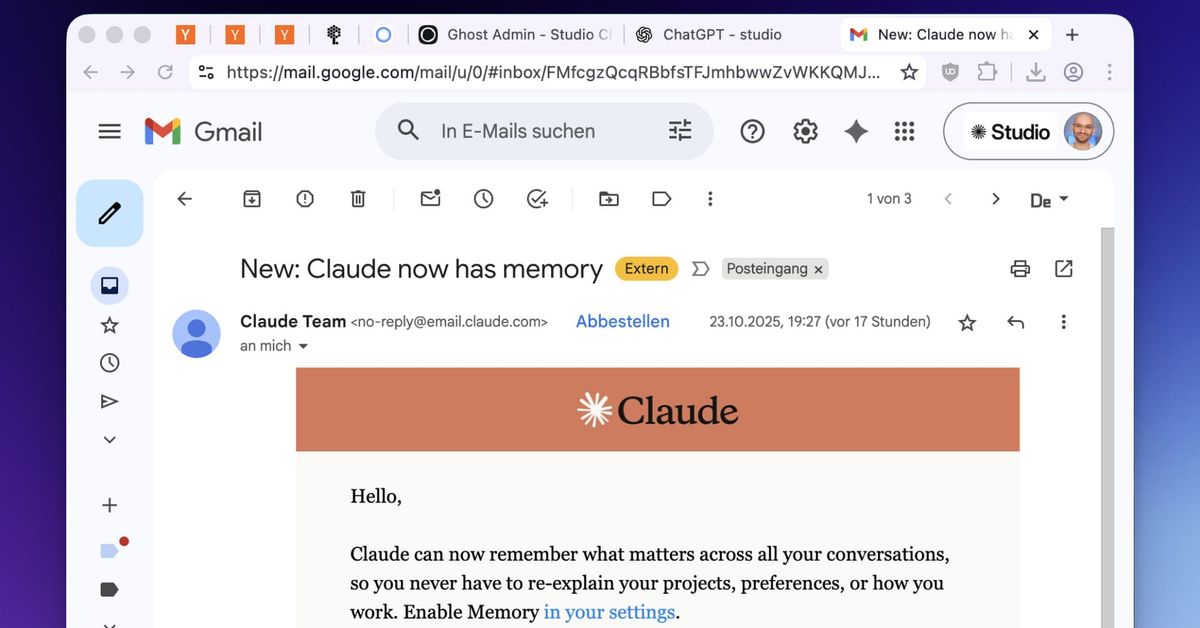
Claude memory is the feature that lets Claude remember what you work on, who you work with and how you like your answers, and use that in new chats. Each memory is stored as its own topic under Settings, Your Claude, where you can read, edit or delete it. You can also pause memory or reset it completely (Anthropic Help Center, November 2026). Memory is on by default on the Free, Pro, Max and Ultra plans. On Team and Enterprise, the owners of the organization decide. I use it, but carefully, because saved assumptions slip into answers and then it gets hard to tell where a reply came from.
What does Claude remember?
Claude mainly remembers what has to do with your work: your role, ongoing projects, the people you work with and how you want your answers written. Since August 2026 it writes these memories while you chat, as short notes on single topics, instead of one summary after the chat ends. The chat and Claude Cowork share the same memory (Anthropic, August 2026).
A few things stay out or stay separate:
- Sensitive topics like health, politics or religion are only saved if you allow it in the settings. Claude then shows a notice every time it saves one.
- Never saved, according to Anthropic, even with that permission: government ID numbers, financial account numbers, criminal history and immigration status.
- Projects have their own memory. Inside a project, Claude uses that project's memory plus your general memory, but never the memory of another project.
- Incognito chats start with the ghost icon in the top right of a new chat. They end up neither in your history nor in memory.
The list calms me down a little. A little. My problem was never that Claude could know my account number. My problem is the assumption from an old chat that quietly slips into the twentieth answer.
Why I keep an eye on it
When Claude got memory in October 2025, I tested it. Theory: tempting. Practice: drama included, no extra charge.
To see why, you need to know how I prompt. I work by two rules:
- A precise prompt, every time. Specific, on point, no warm-up.
- One shot if possible. I don't want to fiddle around with the AI over ten messages. The first answer is often the best one, so I try to get it right straight away. If it misses, I change the prompt and run it again right away.
Automatic memory gets in the way of exactly that. Every now and then it throws things into an answer that I never asked for. Suddenly there are assumptions, the answers get softer, and I no longer know why. Checking what really caused an answer gets harder, and that annoys me. It feels like someone is quietly turning the knobs on my prompts while I'm not looking.
For beginners, memory is a handy safety net. You don't have to explain your job again in every chat, and that is a real relief. For people who prompt on purpose (me, slightly neurotic), it quickly becomes a factor you can't plan for. I like black boxes in DJ sets only. Surprise drop, yes. Secret autotune, no.
Maybe there is a simpler way anyway. If you want to decide yourself what Claude knows about your work, write it down once: a few lines in a project's instructions or in a Claude Skill (in German). You can read them any time, and nothing changes behind your back.
How do I see what Claude knows about me?
Everything Claude has saved about you sits in the settings under Your Claude. In the older layout the section is called Memory. This is how you get to the single topics:
- Open Settings, then Your Claude.
- Click Manage next to Your memory.
- Open a topic. You read what Claude noted and change it with the pencil icon.
- Check the switch Generate memory from chats. Claude only creates new topics while it is on.
It's often faster in the chat itself. Say "remember this", "change that" or "forget that", and the change applies from the next conversation.
Still, what matters more to me is that the important stuff never sits in memory in the first place. For the work on this website, Claude has a project instruction: a file in the repository that every session reads at the start. In Claude Code that file is called CLAUDE.md, and many search results for Claude memory are really about that file (Claude Code docs). I can read what's in it at any time, and every older version can be looked up. Claude Code also writes notes for itself, but those are plain files too, open to read. For a team, I'd boil it down to one sentence:
Whatever should apply to everyone belongs in an instruction that anyone can read.
The memory of a single account is a bad place for team rules. Nobody else sees it, and it grows with every chat.
How to turn off or delete Claude memory
You delete single memories inside the topic, and you reset the whole memory in the settings. In between there are a few steps that do quite different things:
| Control | Where you find it | What happens |
|---|---|---|
| Delete a topic | Topic, then Delete, or say "forget that" | This one memory is gone |
| Pause memory | Settings, Your Claude | Claude keeps what it knows but does not use it or add anything. Chats from the pause are not added later |
| Reset memory | Settings, Your Claude | All memories are deleted for good, project memories included. No undo |
| Memory off for one chat | "+" menu, before the first message | This chat runs without memory. Locked after the first message |
| Incognito chat | Ghost icon in a new chat | Not in your history, not in memory |
| Search and reference chats off | Settings, Your Claude | Claude stops looking up your earlier chats |
The difference between pause and reset sounds like fine print. It is fine print. Click reset by mistake instead of pause and you start from zero, with every project.
On Team and Enterprise plans, the owners decide in the organization settings whether memory is allowed. They can't see the individual memories of their people. If they switch memory off for everyone, Claude stops using it, but nothing gets deleted. Organizations created since October 31, 2026 start with memory switched on (Anthropic Help Center). How I would roll out Claude in a company, with all the admin settings, is in a German article on Claude Team and Enterprise.
Can you import your ChatGPT memory?
Yes. You ask your old AI to list everything it has stored about you, open Settings, Your Claude, choose Start import, paste the text and click Add to memory. Claude saves it as single entries. This works on all plans, on the web and in the desktop app, and Anthropic itself calls it experimental (Anthropic Help Center, November 2026). The way back exists too: Claude writes out its memories of you if you ask, and you keep them as a file.
I would read the list before pasting it. Whatever an old chatbot assumed about you two years ago moves house too, and then sits in Claude like a fact. If your finger is already hovering over Add to memory: fair enough, the list is long. Five minutes of deleting what's outdated still saves you a few strange answers later.
Two out of three
In October 2025 I ended an article on this blog with a wish list for Anthropic, OpenAI and the rest: build memory, but give us control. Visible. Editable. Auditable. A clear switch, and a log that shows what was saved, when, and why it was used in an answer.
A year later, part of it has come true. Visible: yes, every topic can be read. Editable: yes, changing, deleting and exporting all work. Traceable: not yet. I can't find a log in the Help Center or in the announcements that shows when and why a memory went into an answer. The Enterprise audit log records when an owner flips the switch, not what a single memory did. Two out of three. For one year, that is more than I expected, to be honest.
So, if an answer suddenly sounds like someone who knows you a bit too well, open Manage before you rewrite the prompt. Often it's the memory. Sometimes, I have to admit, it's still the prompt.
Studio ✺ Christos
Frequently asked questions
Does Claude have memory between chats?
Yes. Claude remembers your role, projects, colleagues and preferences from earlier chats and uses them in new ones. Memory is on by default on the Free, Pro, Max and Ultra plans. On Team and Enterprise, the organization's owners decide whether it is available.
How do I turn off Claude memory?
Open Settings, Your Claude and switch off Generate memory from chats, or pause memory so Claude keeps its memories without using them. For a single chat, switch off Memory in the "+" menu before the first message. Incognito chats never go into memory.
How do I delete what Claude remembers about me?
In Settings, Your Claude, click Manage next to Your memory, open a topic and choose Delete, or say "forget that" in a chat. Resetting memory deletes all memories for good, including those from projects, and cannot be undone.
Can I import my ChatGPT memory into Claude?
Yes. Ask ChatGPT to list what it has stored about you, then choose Start import under Settings, Your Claude, paste the text and click Add to memory. Anthropic calls the import experimental, so check the saved entries afterwards.
Does Claude Code have memory?
Yes. Claude Code reads CLAUDE.md files with your instructions at the start of every session and also keeps notes it writes for itself. Both are plain text files, so you can read, edit or delete them at any time.